Coming soon The new TradeSnap AI is coming to the App Store very soon
The AI quoting & invoicing app for UK trades
Leave site with the quote already written.
Talk through the job or paste in the customer’s messages. TradeSnap AI turns them into a clear job brief, a priced quote your customer can accept from their phone, and the invoice when you’re done — with you checking every line.
- Free to download
- On iPhone and iPad
- Made for UK trades
See it in 30 seconds
One message in. A signed quote and a paid invoice out.
Watch a dripping kitchen tap go from the customer’s text to a brief, a priced quote, a digital signature and an invoice — every screen is the real app.
- Talk it through on site, or paste what the customer sent
- AI drafts the brief and the quote; you check every line
- Your customer signs on their phone, and you invoice from the same job
Sound familiar?
The job’s done by five. The paperwork shouldn’t take till ten.
Most of the admin in a trade isn’t hard — it’s just typing up what you already said on site. TradeSnap does that part, so your evenings are yours again.
Quotes typed up at the kitchen table at 9pm
Quote on site. Talk it through and TradeSnap writes it up while you pack the van.
The details are spread across a dozen WhatsApps
Paste the whole conversation in. One clear brief comes out, with the questions still to ask.
The “while you’re here” jobs never make the price
Everything the customer asked for lands in the scope — and on the quote.
Chasing money on a Sunday
Know who’s accepted, who’s been invoiced and who still owes you, without digging.
01 How it works
From the first message to money in the bank.
Five steps, one job record. Nothing gets typed twice, and nothing reaches your customer until you’ve checked it.
Say it, snap it, paste it
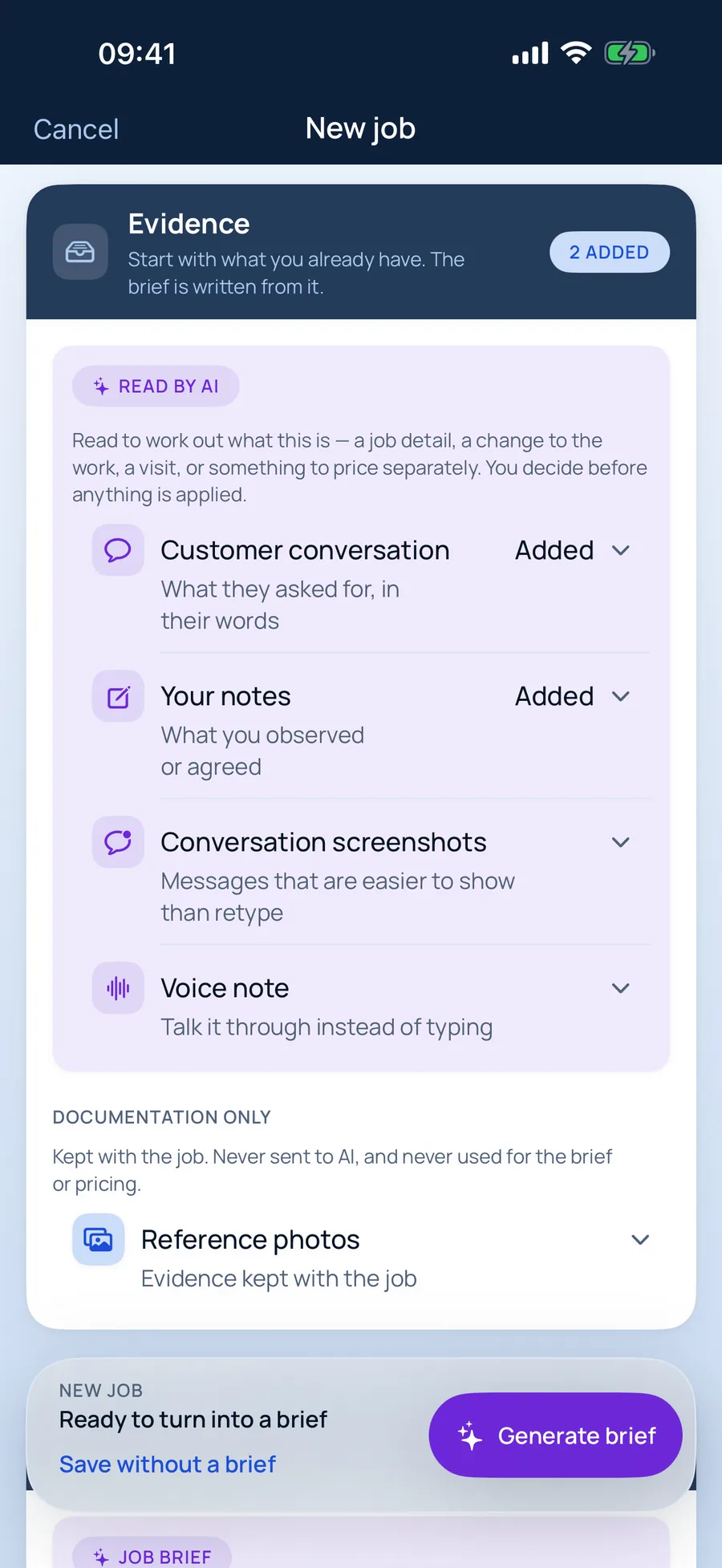
Record a voice note on site, paste the customer’s texts or screenshot the WhatsApp thread. Add photos for your records. No signal? It’s saved on your phone and syncs when you’re back online.
- Voice notes and typed notes
- Screenshots of customer messages
- Works without signal
02 Built for your trade
Real messages in. Real quotes out.
Each example below is a customer message sent to TradeSnap AI, and the brief it wrote back — unedited. Pick your trade.
The customer’s message
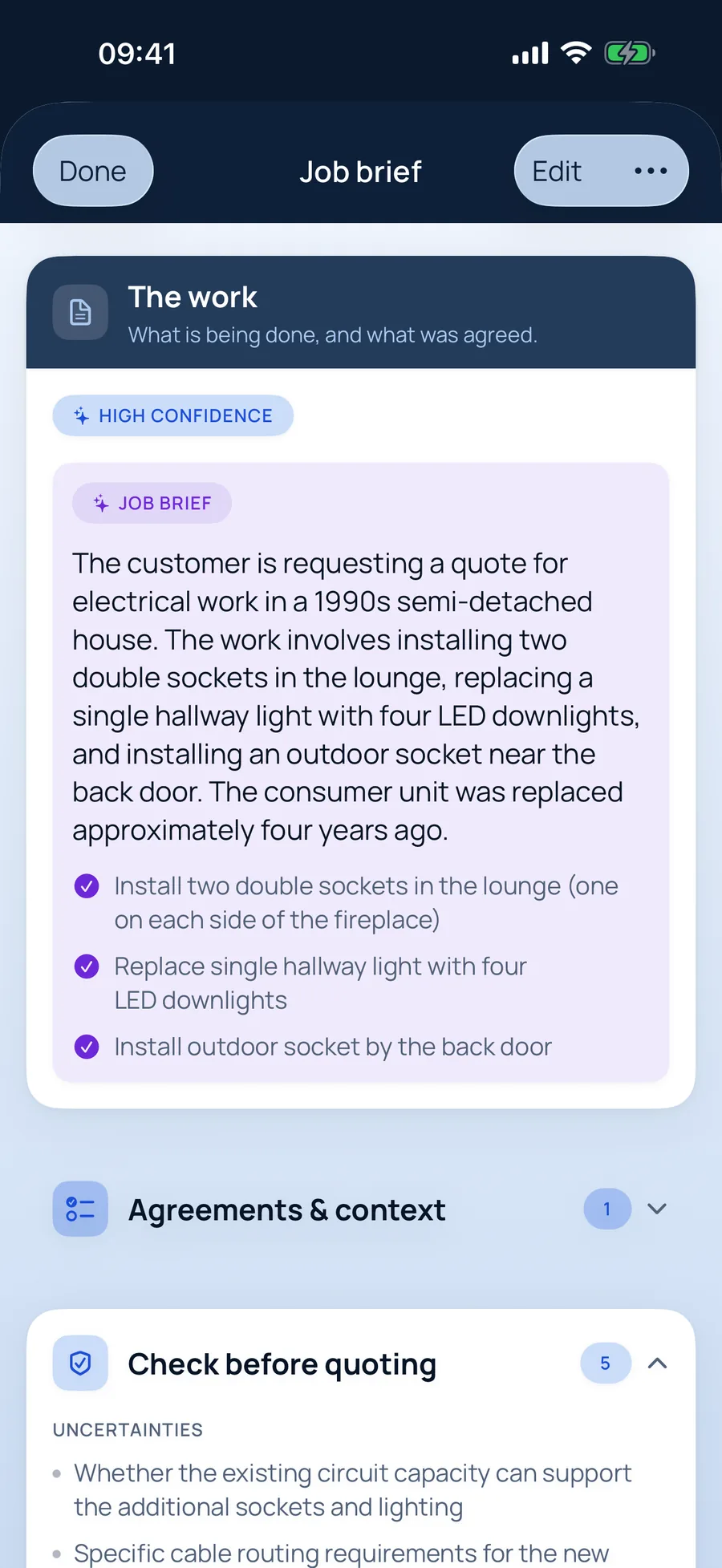
What TradeSnap AI picked out
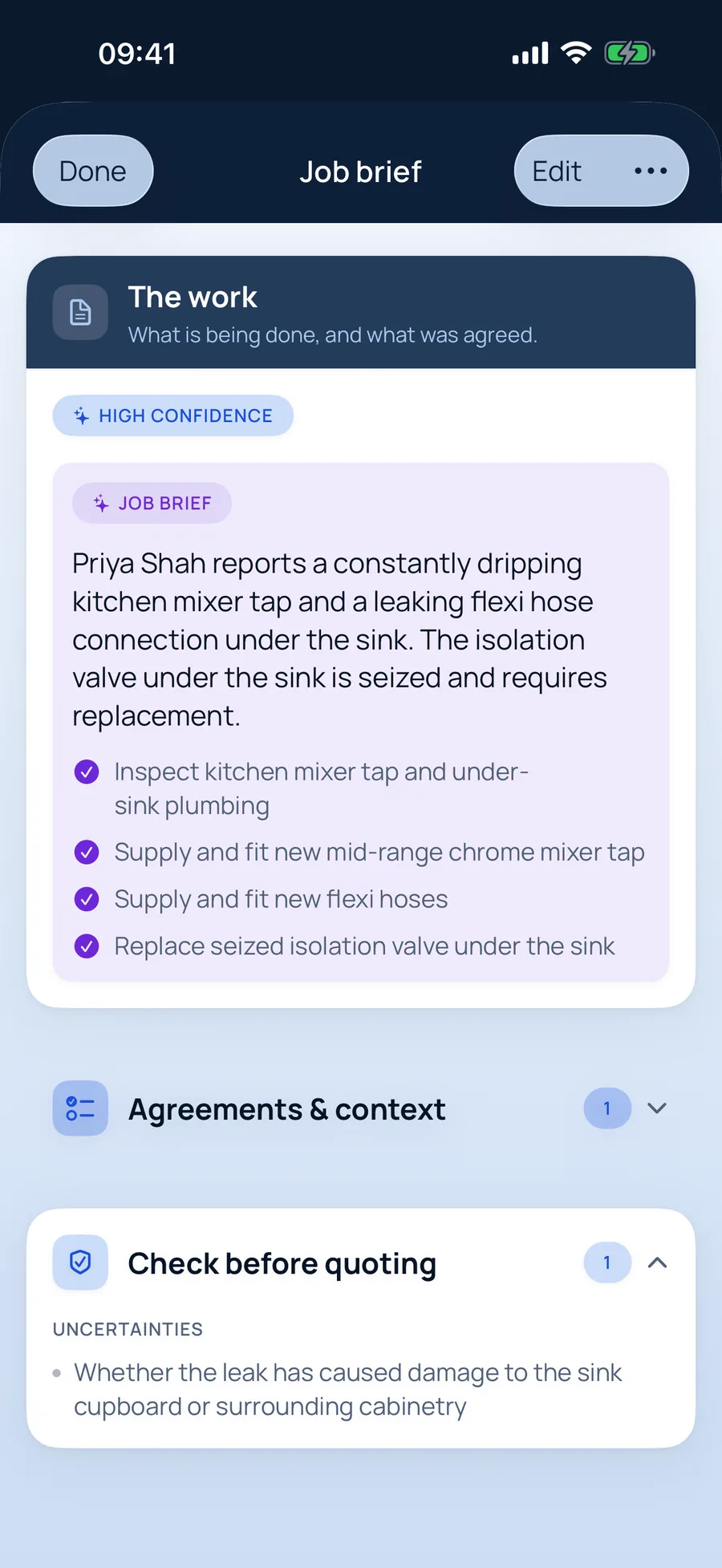
The job brief for plumbers
- Inspect kitchen mixer tap and under-sink plumbing
- Supply and fit new mid-range chrome mixer tap
- Supply and fit new flexi hoses
- Replace seized isolation valve under the sink
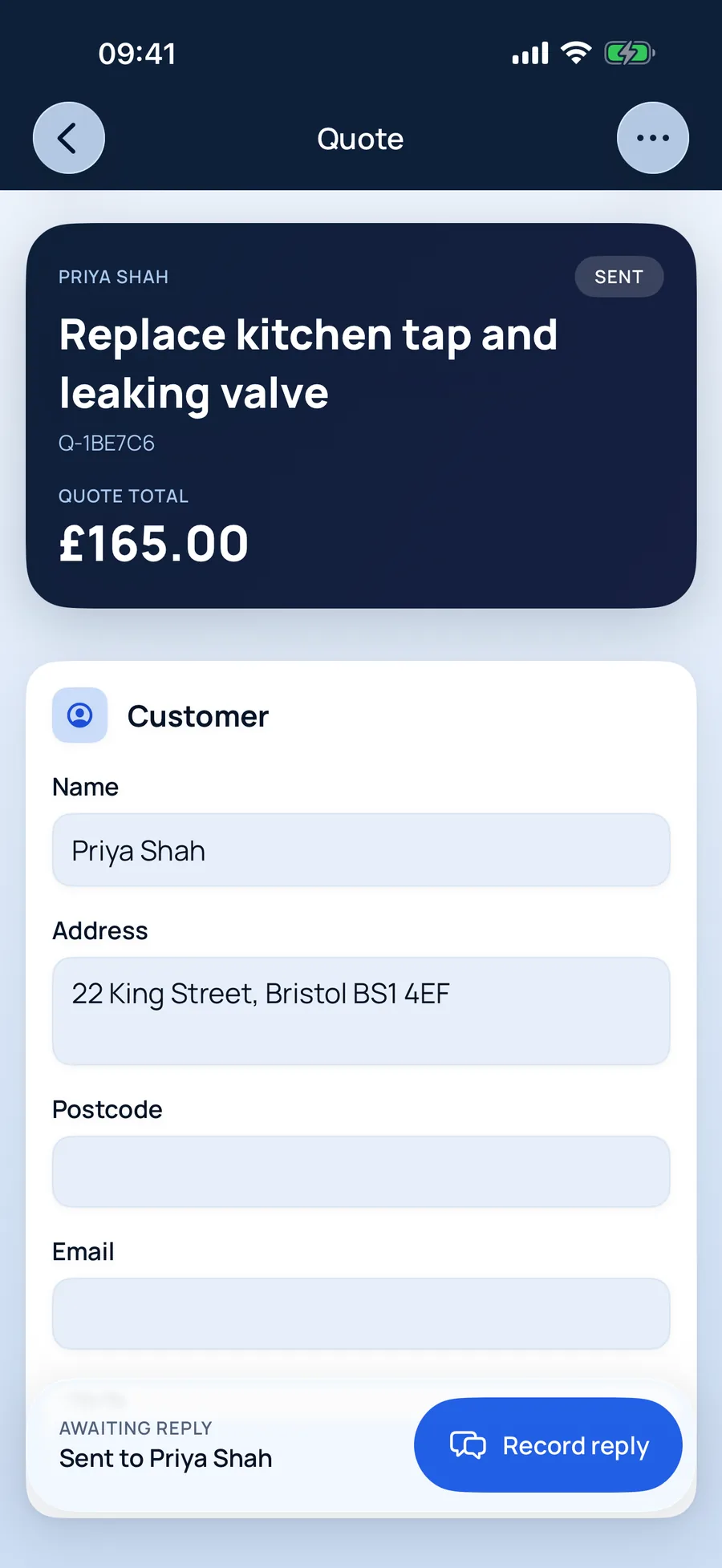
The quote, ready to review
Replace kitchen tap and leaking valve£165
Also works for plasterers, bathroom fitters, kitchen fitters, flooring fitters, bricklayers, landscapers, glaziers, locksmiths, drainage engineers, handymen, insulation installers and tree surgeons — each trade you do keeps its own rates.
03 Win the job
The first professional quote usually gets the job.
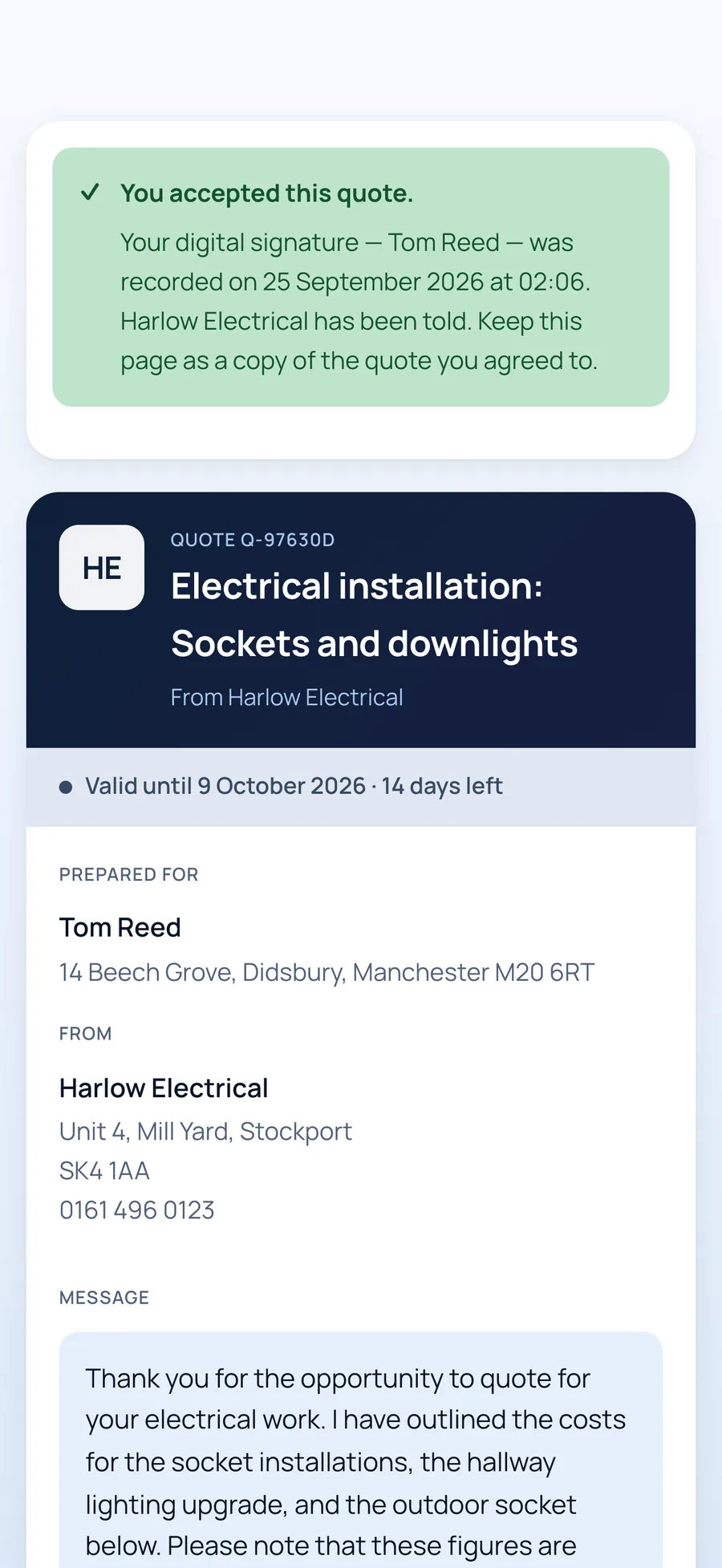
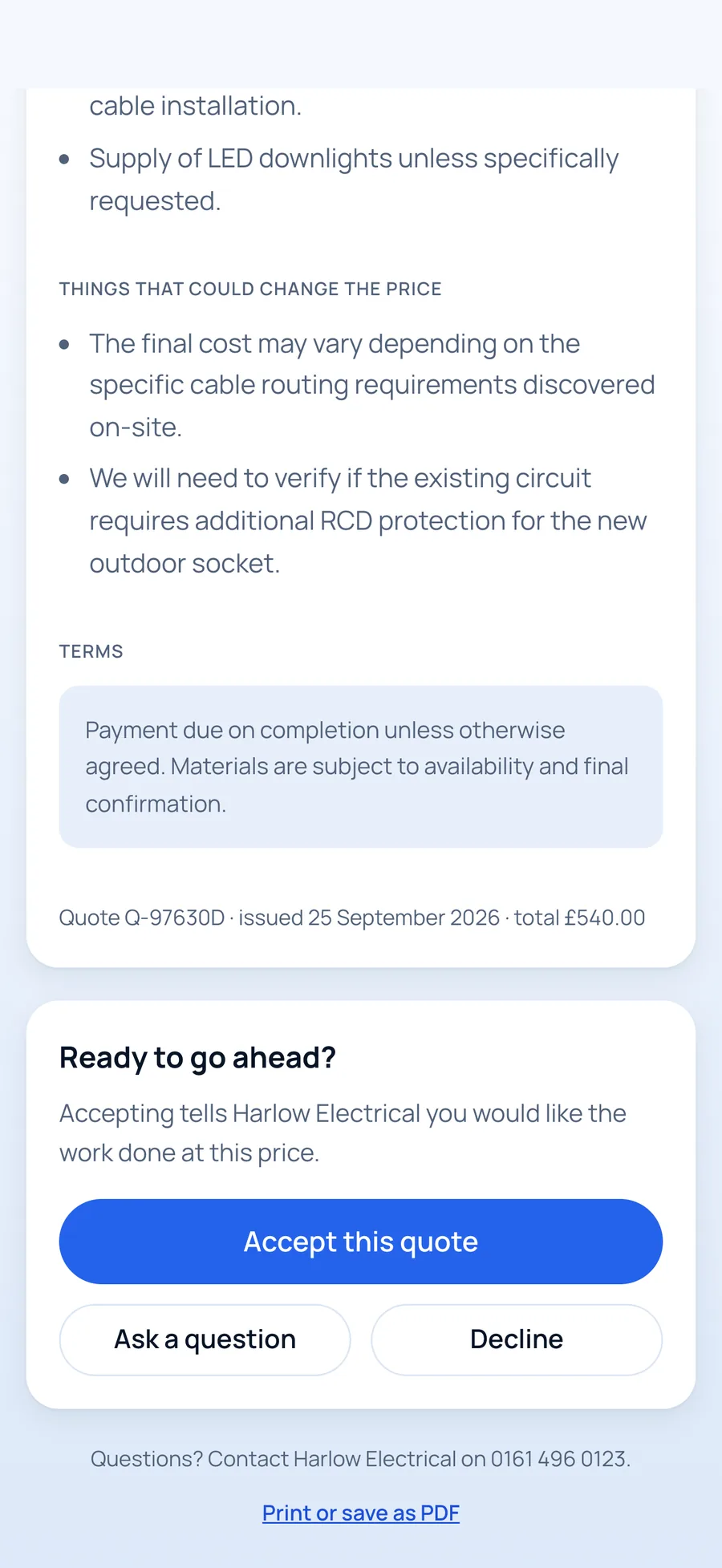
Customers don’t wait long, and they remember who got back to them first — and who looked the part. Send a TradeSnap quote link from the driveway and your customer can read it, ask a question and accept it with a digital signature before the next tradesperson has priced up.
- A clean quote page with your business name — no app for the customer to install
- Accept, ask a question or decline in one tap
- The signature, date and exact quote are kept as a record of what was agreed
- You’re notified the moment they open it or say yes
04 Everything in one app
Less admin. More of the job stays intact.
Built around messy conversations, changing scopes, poor signal and the decisions that protect your margin.
Voice notes into paperwork
Talk through the job on site; TradeSnap turns it into a written brief.
Reads customer messages
Screenshots of texts and WhatsApps become part of the job, not lost in your camera roll.
Safety concerns flagged
Anything risky the customer mentions goes to the top of the brief.
Quotes accepted online
Customers accept with a digital signature, ask a question or decline — from a link.
Know when they say yes
A notification the moment a customer opens your quote, accepts it or asks a question.
Professional invoices
Sequential numbers, supply dates, VAT and your payment terms, ready as a PDF.
Follow-ups sorted for you
Quotes awaiting a reply and unpaid invoices, grouped into overdue, today and coming up — with a reminder at the date and time you pick.
Works with no signal
Capture on site without a connection; everything syncs when you’re back online.
- Jobs in stagesKeep a diagnostic visit, the repair and extra work separate — each with its own quote and invoice.
- Changes confirmed on siteWhen the job changes, confirm the variation so it’s priced and recorded before it’s billed.
- Bill WorkInvoice a call-out or quick job straight away, without writing a quote first.
- Your price historyPrices you’ve used before are remembered and suggested next time.
- Reuse past quotesPull lines from a previous quote instead of starting from scratch.
- Split and merge linesBreak a line into parts or combine several, and TradeSnap names the result.
- Several trades, own ratesHourly, day and call-out rates for every trade you offer.
- Local rate suggestionsStarting rates for your trades based on your postcode area, to edit as you like.
- Compare your ratesProSee how your saved rates stack up against your local market before you rely on them.
- Your logo on documentsProQuotes and invoices carry your branding, with no TradeSnap footer.
- PDF quotes and invoicesShare or print a PDF whenever a customer prefers one.
- Terms and defaultsSet how long quotes are valid, when invoices are due, your terms and how to pay you — once.
- Refunds, credits and voidsCorrect an invoice properly, with a clean history instead of deletions.
- Invoice and follow-up remindersAlerts on your phone for overdue invoices and the follow-ups you’ve scheduled.
- Your edits are keptRegenerate a brief with new information and the changes you made stay put.
- Report an AI mistakeSomething wrong in a draft? Report it from the screen it’s on and we’ll look at it.
- iPad tooThe same jobs on your iPad, with layouts made for the bigger screen.
- Light and dark modeEasy to read in a bright kitchen or a dark loft.
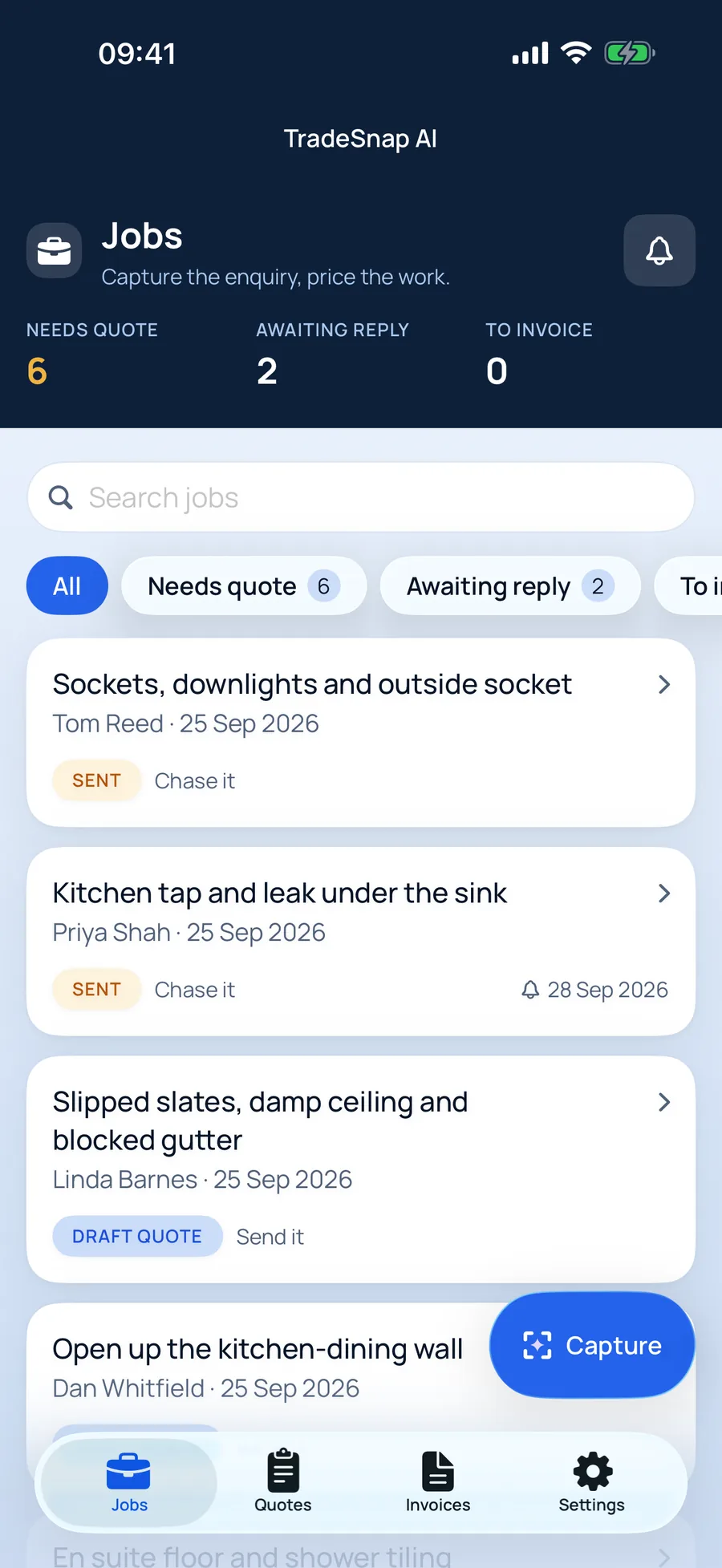
Every job at a glance. What needs a quote, what’s waiting on the customer and what’s ready to invoice.
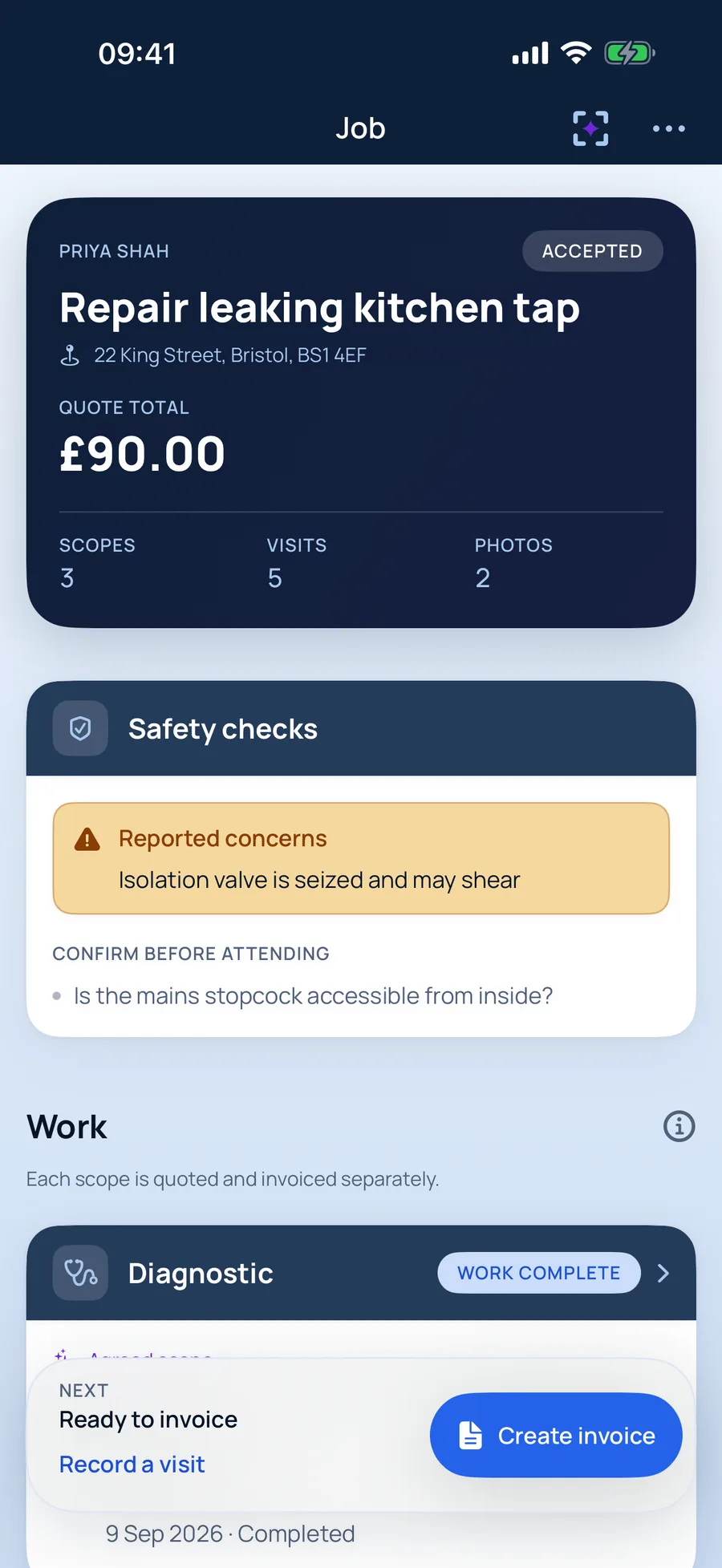
Extra work stays separate. Each piece of work on a job is quoted and invoiced on its own, with its visits and safety checks.
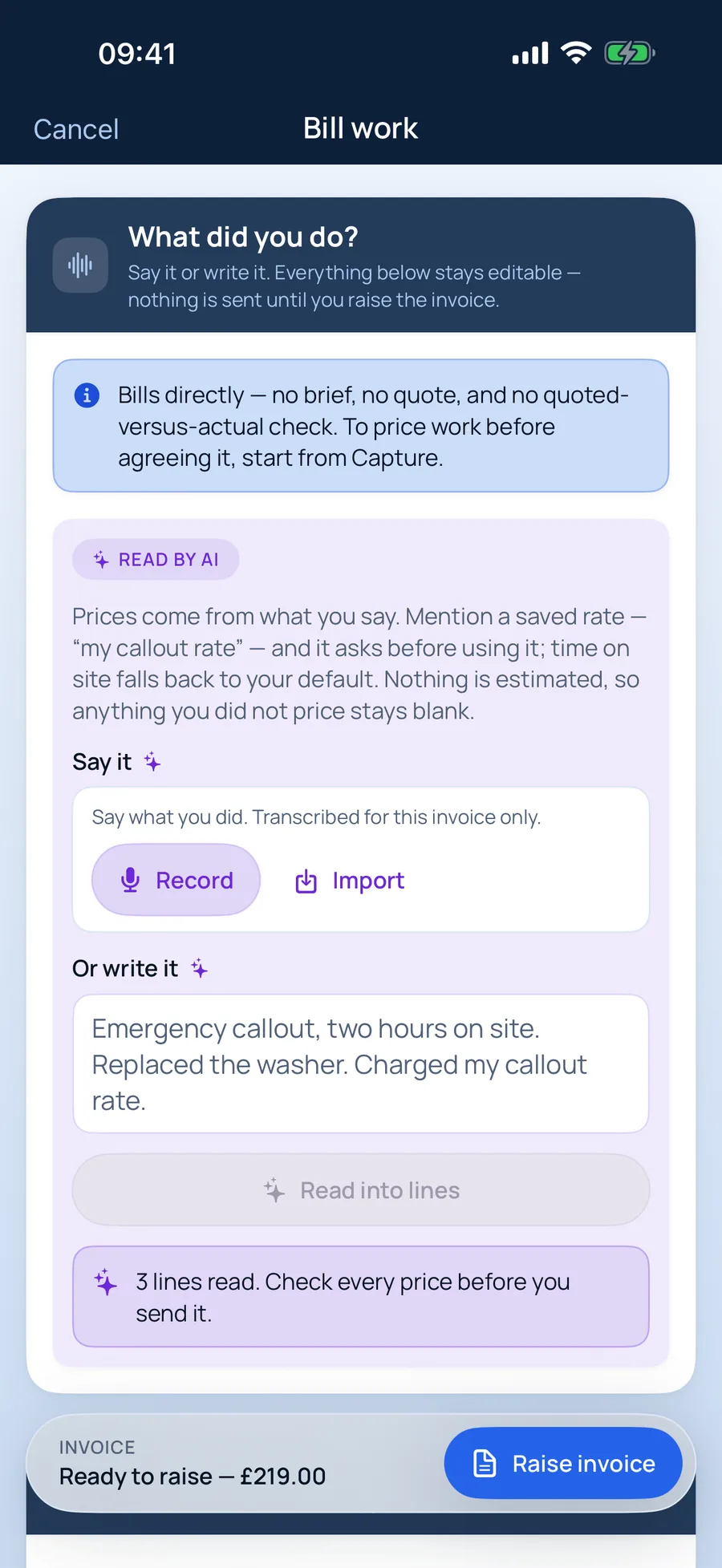
Invoice a call-out in a minute. Say what you did and charged; missing prices stay blank until you fill them in.
AI, with a visible boundary
It drafts. You decide.
TradeSnap AI does the typing. Your judgement runs the job. It flags what it isn’t sure of, keeps safety concerns in view and leaves every customer-facing detail in your hands.
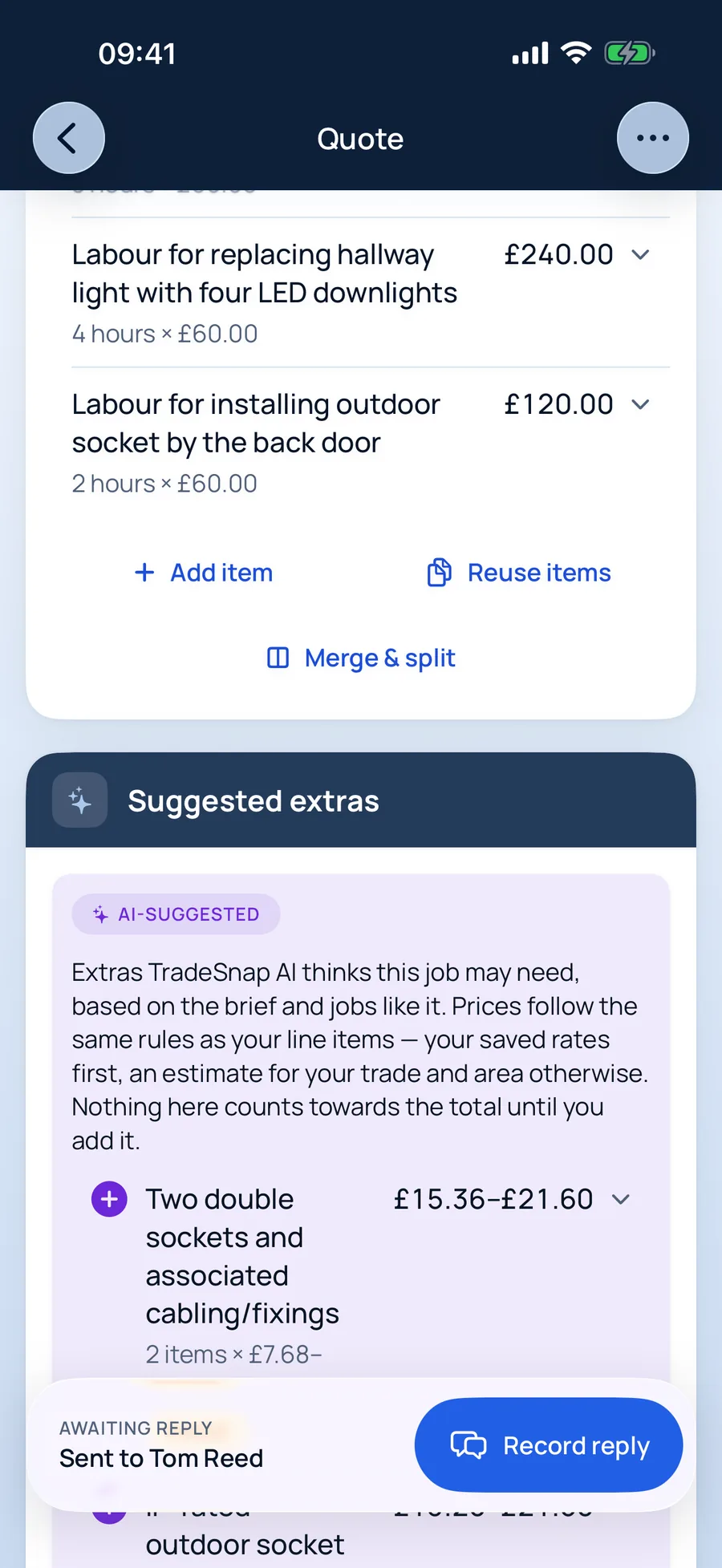
- Your rates come first. Suggestions only fill the gaps you haven’t priced yourself — and always show where they came from.
- Every line stays editable. Approve, change or remove anything before a quote or invoice is sent.
- Nothing is sent without you. TradeSnap never contacts a customer on its own.
- Customer data on a need-to-know basis. Quote drafting and price lookups exclude customer names, contact details and addresses. Ordinary job photos are never sent to the AI.
05 Pricing
Free to start. Less than an hour’s labour when you go Pro.
No contract, and nothing to pay until you choose Pro. Plenty of job-management apps for trades charge £25 a month or more; TradeSnap Pro costs less than an hour on the tools.
Free
£0 forever
Everything you need to run a job from first message to paid.
- Capture, brief, quote, invoice and payments
- 10 AI drafts a month — briefs and quotes
- Up to 5 active jobs at once
- Quote links, PDFs and follow-ups
- Works offline, syncs across devices
Pro
£99.99for your first year17% off
Launch offer — £8.33 a month. Then £119.99 a year (£10 a month).
For running your business on it, every day.
- Everything in Free, plus:
- Unlimited AI drafts
- Unlimited active jobs
- Compare your rates with your local market
- Your logo on quotes and invoices
- Unlimited saved rate presets
UK prices including VAT. Subscriptions are bought and managed through the App Store, where prices for other regions are shown. The launch offer is for new subscribers and may change. Unlimited AI drafts are subject to fair-use limits that stop abuse, not normal work.
06 Good to know
Straight answers before you start.
Still deciding whether TradeSnap fits your work? We’re happy to answer the awkward questions too.
Email TradeSnap supportDoes TradeSnap send anything to a customer automatically?
No. TradeSnap AI prepares drafts, but you review and approve every line before a quote, invoice or anything else reaches a customer.
Is TradeSnap really free?
Yes. The free plan covers the whole job — capture, brief, quote, invoice and payment tracking — with 10 AI drafts a month (a brief and a quote each for about five jobs) and up to 5 active jobs at once. Finished and archived jobs don’t count. Upgrade to Pro only when you need more.
How does my customer accept a quote?
You send them a link. They see your quote on a clean page with your business name, and can accept it by typing their name as a digital signature, ask you a question or decline. You get a notification either way.
What happens when I have no signal on site?
You can still capture notes, voice recordings, customer screenshots and photos. They stay on your phone and sync to your account when you reconnect. AI drafting needs a connection.
Does the AI look at my site photos?
No. Ordinary job photos are stored as your record of the job and sync between your devices, but they are not sent to the AI. Screenshots of customer conversations are read, because they contain what the customer asked for.
How accurate are the AI prices?
Your own rates and saved prices always come first. Where you haven’t set a price, TradeSnap suggests a typical UK range with its source and confidence, marked for your review. Nothing is priced on your behalf without you seeing it.
How does TradeSnap use my postcode?
Only your postcode area — the first one or two letters — is used, inside TradeSnap’s own service, to suggest starting hourly, day and call-out rates for your trades. Your postcode is not sent to the AI provider for market price lookups.
Can I invoice work that never needed a quote?
Yes. For call-outs, repeat visits and quick jobs, Bill Work lets you describe what you did and build the invoice directly. Any missing price stays blank until you fill it in.
Is it only for one type of trade?
No. List every trade you offer and keep separate hourly, day and call-out rates for each. It works for plumbers, electricians, heating engineers, carpenters, decorators, roofers, tilers, builders and many more.
Does TradeSnap support HMRC-compliant invoicing?
TradeSnap keeps the details compliant records need together: sequential invoice numbers, issue and supply dates, VAT details, line totals, credit notes and payment history. You remain responsible for applying the right VAT treatment and keeping the records your business requires.
Is there an Android version?
Android is on its way. TradeSnap is available now for iPhone and iPad — email us and we’ll let you know when Android is ready.
Can I cancel Pro at any time?
Yes. Pro is billed through the App Store and you can cancel whenever you like. Your jobs, quotes and invoices stay in your account; the free plan’s limits apply again from then on.
TradeSnap AI · Free to download
Your next quote could be done before you leave the drive.
Download TradeSnap on iPhone and iPad and price up your next job with it. You’ll feel the difference on the first one.


Scan with your phone’s camera to download