
TradeSnap AI for carpenters & joiners
The quoting and invoicing app for carpenters and joiners
Customer-supplied doors, your ironmongery, a bit of bespoke shelving. TradeSnap keeps track of who is supplying what, so the quote says labour-only where it should and nothing you're buying gets forgotten.

- Free to download
- On iPhone and iPad
- Your own carpenter rates
A real example
From Sophie’s message to a priced quote.
This is a real customer message sent to TradeSnap AI, and the brief it wrote back — unedited. The quote is what you’d send after a quick check.
The customer’s message
What TradeSnap AI picked out
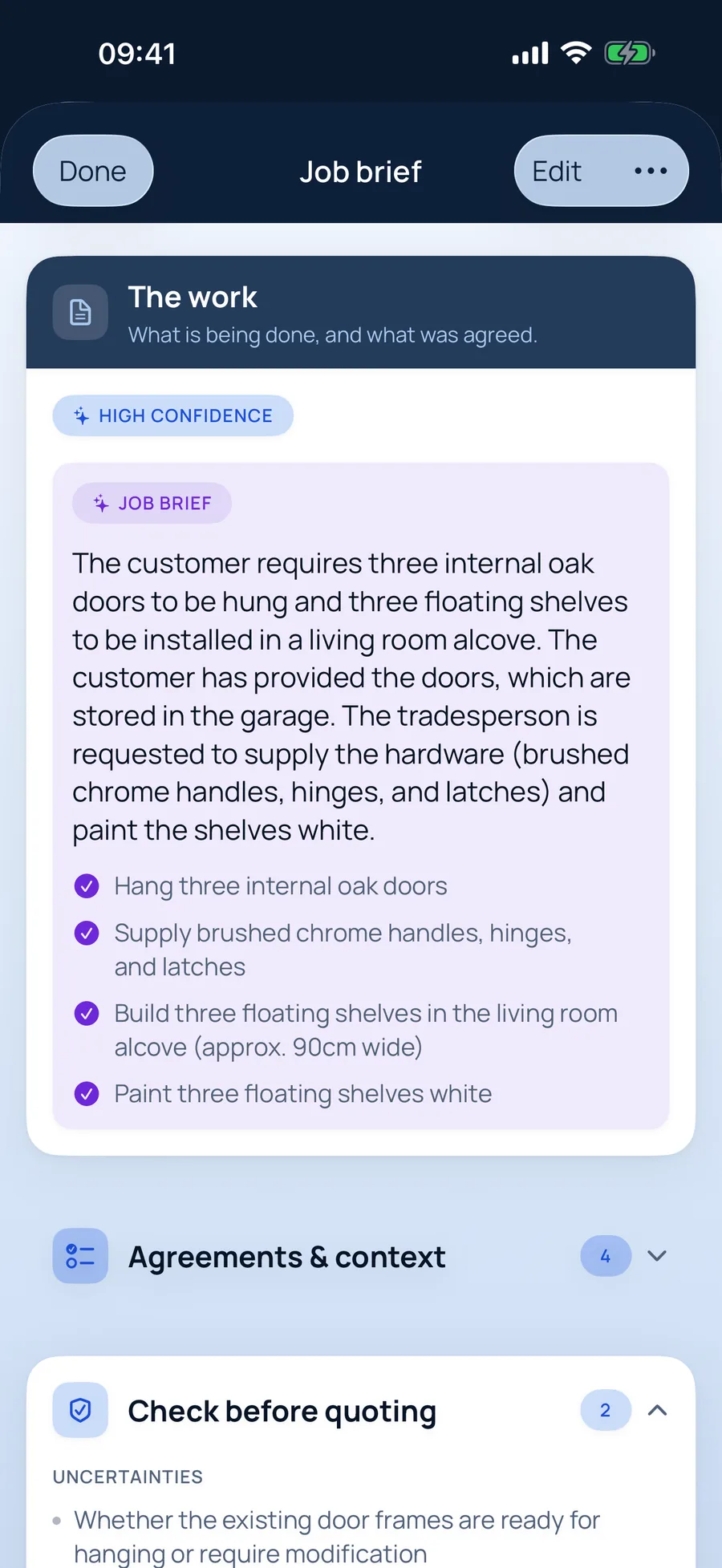
The job brief for carpenters
- Hang three internal oak doors
- Supply brushed chrome handles, hinges, and latches
- Build three floating shelves in the living room alcove (approx. 90cm wide)
- Paint three floating shelves white
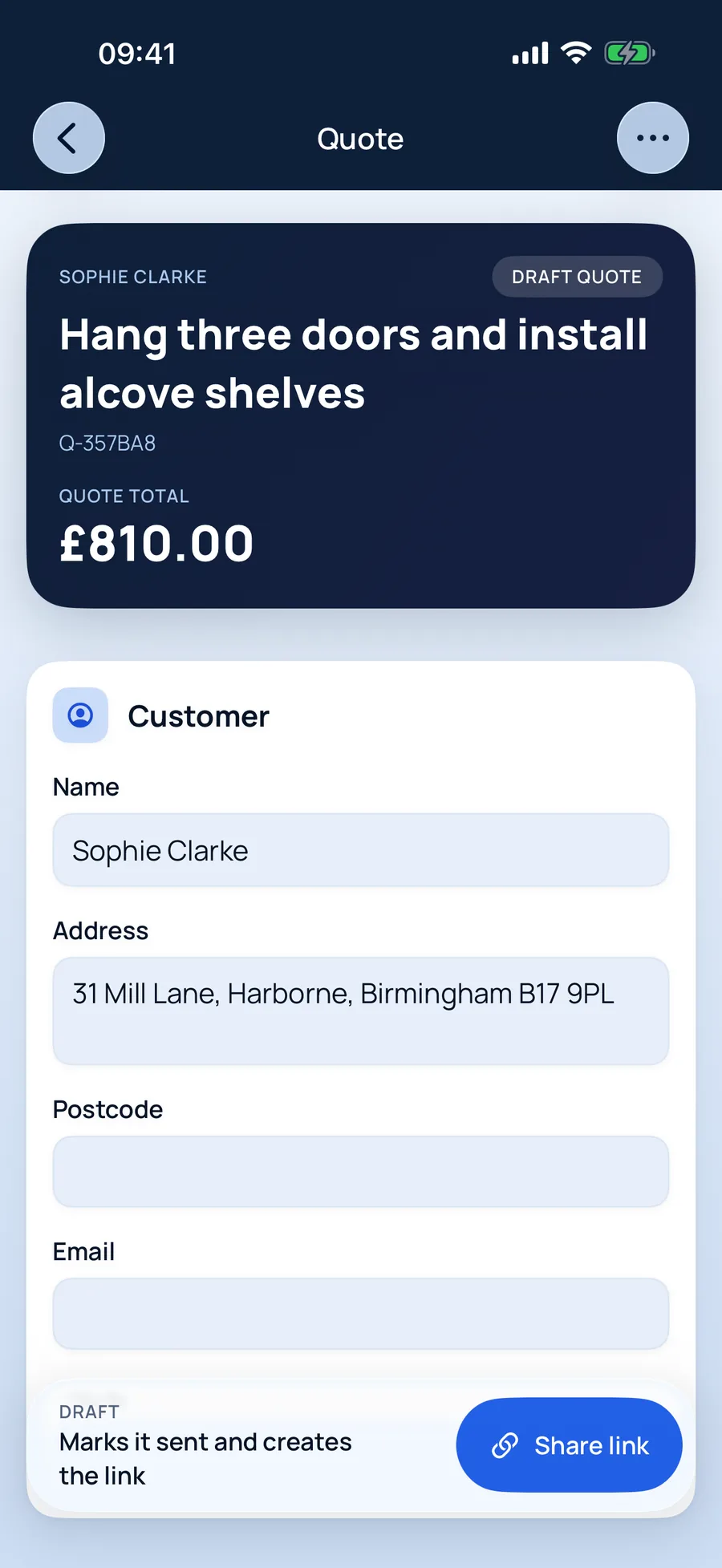
The quote, ready to review
Hang three doors and install alcove shelves£810
Why carpenters & joiners use it
Built around how carpenters actually quote.
Who supplies what, written down
Customer-supplied doors stay labour-only; the ironmongery you're buying is priced as a separate item.
Hourly or day rate
Price small jobs by the hour and bigger fits by the day — both saved against your carpentry rates.
Extras stay on the record
When the customer adds “while you're here…”, it becomes extra work on the same job, with its own price.
Jobs carpenters & joiners quote with TradeSnap
- Door hanging
- Shelving and alcoves
- Skirting and architrave
- Pipe boxing
- Kitchen fitting
- Stud walls
How it works
Five steps from enquiry to paid.
- 01
Say it, snap it, paste it
Record a voice note on site, paste the customer’s texts or screenshot the WhatsApp thread. Add photos for your records. No signal? It’s saved on your phone and syncs when you’re back online.
- 02
A job brief that catches what matters
TradeSnap AI reads everything and writes the brief: the work, what was agreed, what matters to the customer, anything it isn’t sure of, safety concerns and the questions still to ask. It even fills in the customer’s name and address. You check it — nothing moves on until you do.
- 03
Prices you can see the working for
Your own rates come first. Where you haven’t set a price, TradeSnap shows a typical UK range, where it came from and how sure it is — and you choose the figure. Prices you save are ready for next time.
- 04
Your customer says yes from their phone
Send a link instead of an attachment. Your customer sees a clean, professional quote, can ask a question, and accepts with their name as a digital signature. You’re notified when they open it, and again when they say yes.
- 05
Invoice in a tap. Track every payment.
Turn the accepted quote into an invoice without typing anything again. Record part payments, refunds and credit notes, and keep a clean history of who has paid what.
Voice notes into paperwork
Talk through the job on site; TradeSnap turns it into a written brief.
Reads customer messages
Screenshots of texts and WhatsApps become part of the job, not lost in your camera roll.
Safety concerns flagged
Anything risky the customer mentions goes to the top of the brief.
Quotes accepted online
Customers accept with a digital signature, ask a question or decline — from a link.
Questions from carpenters & joiners
Good to know.
More answers in the main FAQ, or email us and a person will reply.
Can I quote labour only when the customer buys the materials?
Yes. TradeSnap picks up customer-supplied materials from the conversation and keeps them off your price, while still listing anything you need to supply.
Can I charge for collecting materials?
Yes — add it as its own line, at your rate, so the customer can see it.
TradeSnap for other trades
TradeSnap AI · Free to download
Your next quote could be done before you leave the drive.
Download TradeSnap on iPhone and iPad and price up your next job with it. You’ll feel the difference on the first one.

Scan with your phone’s camera to download