
TradeSnap AI for electricians
The quoting and invoicing app for electricians
A socket here, downlights there, an outside supply for the pressure washer. TradeSnap splits every request into its own priced line and flags the questions to settle before you start.

- Free to download
- On iPhone and iPad
- Your own electrician rates
A real example
From Tom’s message to a priced quote.
This is a real customer message sent to TradeSnap AI, and the brief it wrote back — unedited. The quote is what you’d send after a quick check.
The customer’s message
What TradeSnap AI picked out
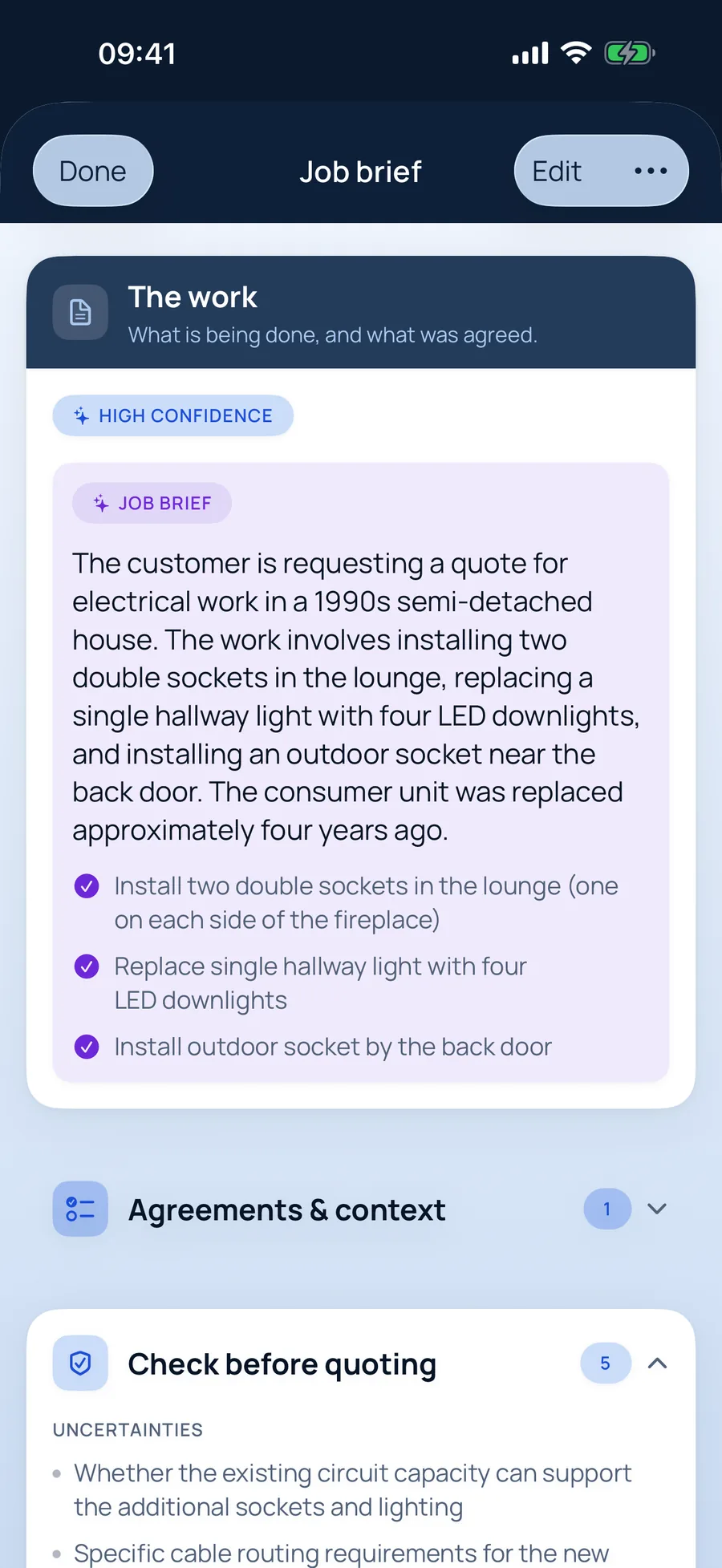
The job brief for electricians
- Install two double sockets in the lounge (one on each side of the fireplace)
- Replace single hallway light with four LED downlights
- Install outdoor socket by the back door
And it asked: “Confirm if the customer has purchased the LED downlights or if they need to be supplied”
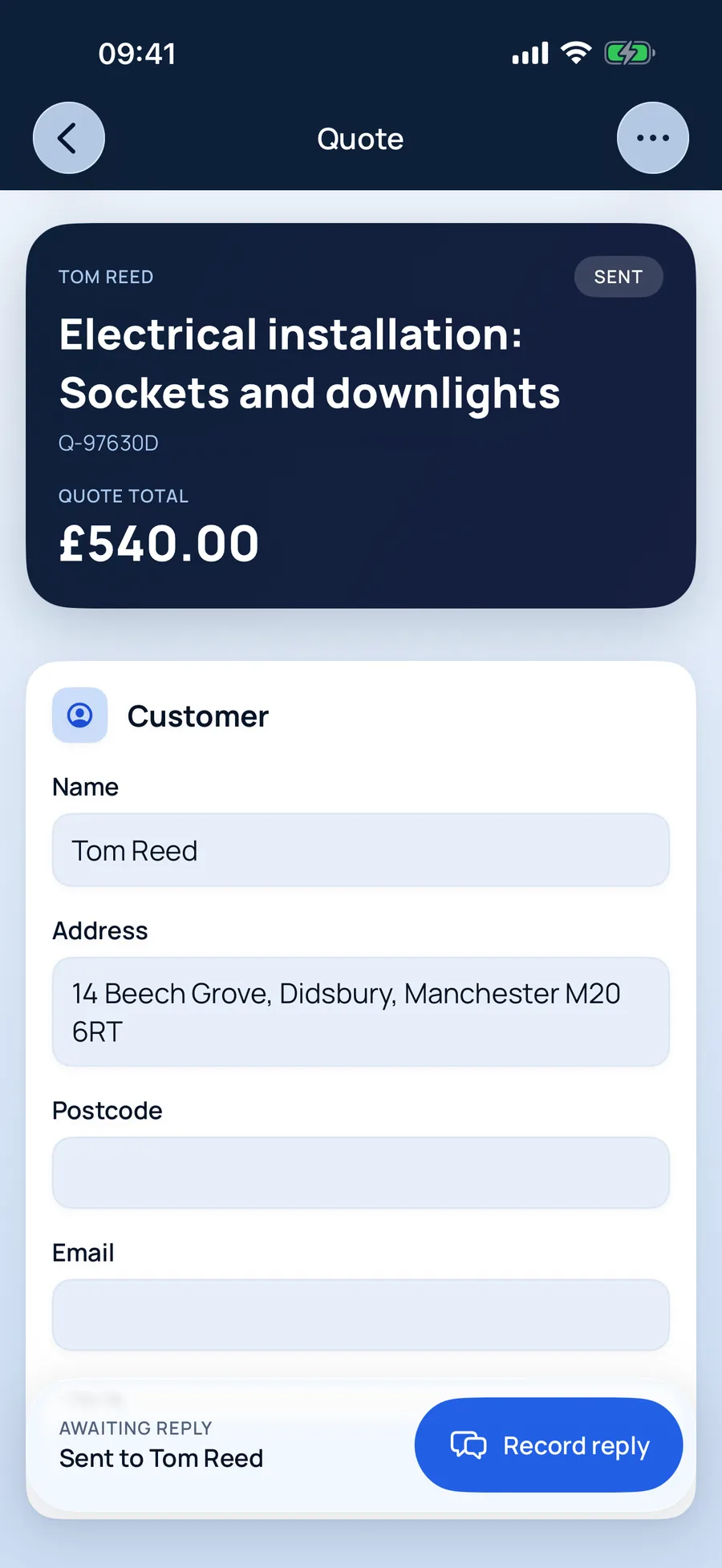
The quote, ready to review
Electrical installation: Sockets and downlights£540
Why electricians use it
Built around how electricians actually quote.
Safety concerns stay visible
If a message mentions scorch marks, tripping or old wiring, the brief says so up front — before anything is agreed.
Several jobs, one tidy quote
Each task gets its own line, so the customer sees exactly what the outside socket costs on its own.
Your rate for electrical work
Multi-skilled? Keep a separate hourly, day and call-out rate for each trade you do.
Jobs electricians quote with TradeSnap
- Extra sockets and spurs
- Lighting and downlights
- Outside sockets and EV prep
- Consumer unit replacements
- Fault finding
- Rewires
How it works
Five steps from enquiry to paid.
- 01
Say it, snap it, paste it
Record a voice note on site, paste the customer’s texts or screenshot the WhatsApp thread. Add photos for your records. No signal? It’s saved on your phone and syncs when you’re back online.
- 02
A job brief that catches what matters
TradeSnap AI reads everything and writes the brief: the work, what was agreed, what matters to the customer, anything it isn’t sure of, safety concerns and the questions still to ask. It even fills in the customer’s name and address. You check it — nothing moves on until you do.
- 03
Prices you can see the working for
Your own rates come first. Where you haven’t set a price, TradeSnap shows a typical UK range, where it came from and how sure it is — and you choose the figure. Prices you save are ready for next time.
- 04
Your customer says yes from their phone
Send a link instead of an attachment. Your customer sees a clean, professional quote, can ask a question, and accepts with their name as a digital signature. You’re notified when they open it, and again when they say yes.
- 05
Invoice in a tap. Track every payment.
Turn the accepted quote into an invoice without typing anything again. Record part payments, refunds and credit notes, and keep a clean history of who has paid what.
Voice notes into paperwork
Talk through the job on site; TradeSnap turns it into a written brief.
Reads customer messages
Screenshots of texts and WhatsApps become part of the job, not lost in your camera roll.
Safety concerns flagged
Anything risky the customer mentions goes to the top of the brief.
Quotes accepted online
Customers accept with a digital signature, ask a question or decline — from a link.
Questions from electricians
Good to know.
More answers in the main FAQ, or email us and a person will reply.
Will TradeSnap tell a customer a price I haven't approved?
Never. Every line is a draft until you review it, and nothing reaches the customer until you send it yourself.
Can I quote a fault-finding visit before the repair?
Yes. Quote the diagnostic visit first, then add the repair to the same job once you know what's wrong — with its own quote and invoice.
TradeSnap for other trades
TradeSnap AI · Free to download
Your next quote could be done before you leave the drive.
Download TradeSnap on iPhone and iPad and price up your next job with it. You’ll feel the difference on the first one.

Scan with your phone’s camera to download